Muhammed Taha Aktaş
Built at Meta Global AI Developer Hackathon · Oct 26, 2026 · Remote
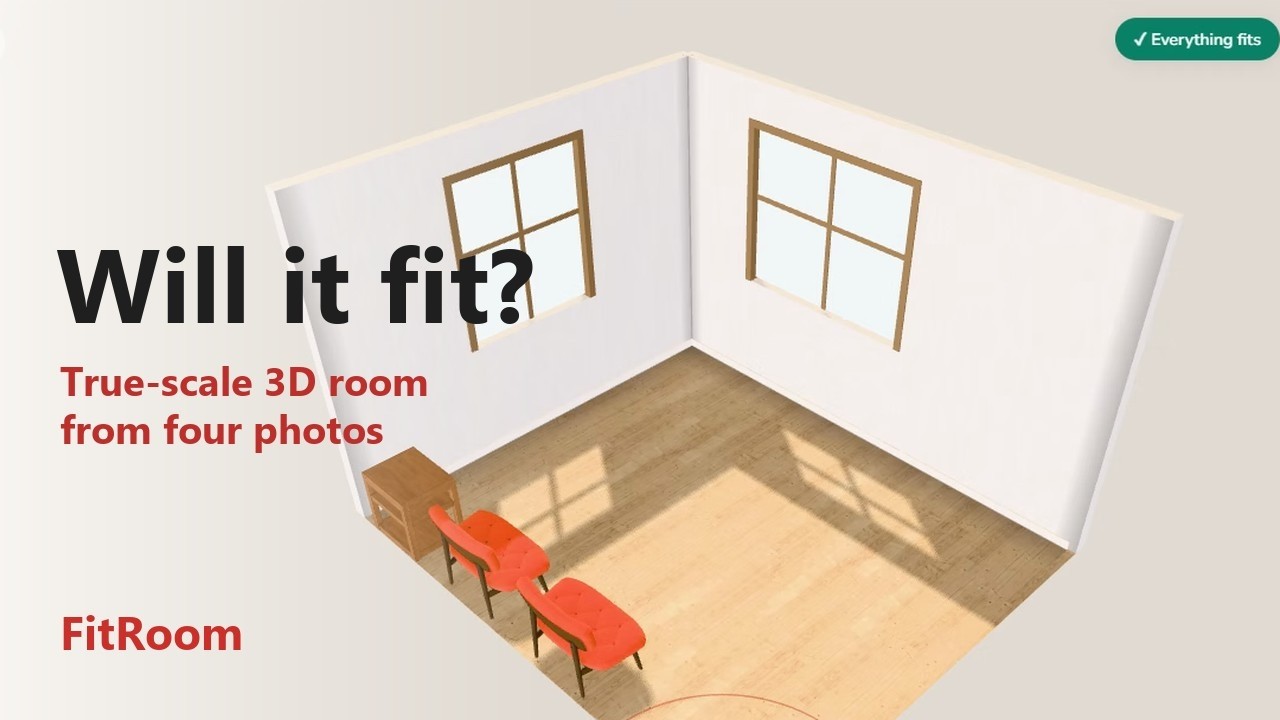
### The problem A product page gives a sofa's width, depth and height. It can't show whether the sofa blocks the door, leaves a way through to the armchair or crowds the window, so the shopper has to picture it. A wrong guess ends in a return, or in a room that doesn't work. ### What FitRoom does FitRoom is a fitting room for a furniture store's website. A first visit opens "Set up your room" with three ways in. The shopper can type the room's width and length, in centimetres or in feet and inches. They can also photograph its four walls and tape one or two of them, or explore the sample living room. A likely slip is asked about and never changed by itself: "4.2 cm? Did you mean 4.2 m (420 cm)?" "Try with example photos" runs the photo path at no cost. Its four wall photos were generated with Muse Image from the sample room and are labelled "Generated example"; SAM 3.1's and Muse Spark's answers for them were recorded once and replay in Demo mode with no model call. Its tape step fills in only wall A, so wall B is estimated from the photos and each wall is shown beside its true length: "Wall B · estimated 362 ± 9 cm · truth 360 cm". A short guide leads a first visit through four moments, each shown with the screen it explains. They are where to start, adding a piece, reading its fit and the AI actions. Every step has "Skip tour", the guide shows once, and the "?" button (on a phone, ⋯ › Show the guide again) brings it back. An empty room says "This room is empty. Add furniture from the catalog, or Furnish it for me", and the fit badge appears with the first piece. The AI actions sit together in the toolbar under an AI tag, and one side panel opens at a time. On a phone-sized screen the app switches to a phone layout, with the catalog in a sheet and the main actions in a bottom bar, and touch targets are at least 44 px. From the photos, FitRoom builds a true-scale 3D model with the doors and windows in place. Each wall length is marked measured (from the tape) or estimated (from the photos), with its margin in centimetres, and each door and window found in the photos shows the margin of its width. The floor and wall finishes are picked from the photos. The shopper then places pieces from the store's catalog at their true sizes and sees the verdict at once. It reads "✓ Everything fits", or each problem is marked in the room with the other piece or wall and the amount, such as how far a shelf reaches into the door's swing. The demo store's catalog has 34 CC0 furniture models, 3 rugs and 4 simple pieces built in code. It runs from sofas and dining sets to beds and wardrobes, each piece with a price and a seat count. The product names and prices are invented for the demo. In the example room, "See it in your photo" draws the placed pieces into its four wall photos at true size, with the camera measured from each photo and no model call. "See it in AR" shows one selected piece at its real size, on phones that can open AR. Meta's models take on what geometry alone can't: - Recommend: Muse Spark ranks the catalog pieces that fit a free wall, or that could replace a selected piece. - Arrange: "Put the sofa under the window and keep 80 cm free in front of the door" becomes a series of Muse Spark tool calls. The fit engine checks every move, and a layout with a fit error is never applied. A request the room can't take is refused with the sizes that rule it out. The list of tool calls gives each refused call its own line, such as "Not placed: Heritage Grand Sofa, it needs 273.1 cm but the free stretch is only 30 cm." - Furnish: the shopper sets the seats, a style and a budget, and Muse Spark furnishes the room from the catalog with the same tools. The code refuses any piece that would pass the budget, and the result card computes the seats and the prices. In the sample room's demo, the brief "4 seats · Scandinavian · up to $2,000" ends with "Seats 4 of 4 · 4 new pieces · $1,975 of $2,000 · ✓ Fits". - Visualise: Muse Image turns a capture of the 3D view into a photoreal picture of the layout, shown with a before/after slider. In Demo mode all four replay answers recorded from Meta's models, at no cost. The sample room has six Arrange requests, three Furnish briefs, Recommend on its free walls, a replacement for its sofa and Visualise. The example room replays "What fits here?" on its free walls. It also replays its own two Arrange requests, the brief "2 seats · Modern · up to $1,500" and Visualise after that brief. ### For stores The customer would be the furniture store; its shoppers use FitRoom free, with no app and no account. The store would add a "See it in your room" button to its product pages, like the one on the demo store's pages. FitRoom already reads its products from one catalog file. A store's own file would replace the sample, with a 3D model, a size and a price for each product. A shopper builds their room once and tries any piece in it at its real size. Each piece is checked in the shopper's own room while the order can still change. Furnish turns the shopper's seats, style and budget into a room furnished from the store's catalog, priced and checked. Add to cart opens a cart panel with each piece's size and price, the total and whether everything fits. The panel downloads the list as a file and gives a shareable link that rebuilds the room and its pieces from the address alone. Planned next: sending a finished layout to the store with one link, pieces and prices included. The demo shows the shopper's side, with a sample store whose names and prices are invented. Each piece has a demo product page that shows its picture, its model's credit, its size and its price under the line "Demo store · invented products and prices". Its "See it in your room" button opens FitRoom with the piece's catalog card ringed and the hint "Press + Add to put the … in your room". On a first visit the ring waits until the first-use guide has ended and a room is open. Nothing is placed by itself. A catalog upload for stores and "Send this layout to the store" are not built yet. ### How the photo room works Each wall photo is downscaled in the browser. SAM 3.1 marks its walls, floor, ceiling, doors and windows, one request per concept. The browser decodes the masks with Meta's `@meta-sam/parser`, and code fits straight lines to the mask boundaries to find the wall's four corners. The wall's true width-to-height ratio comes from perspective and the camera's focal length (Zhang and He, 2007), and doors and windows are mapped onto the wall through its homography. One least-squares fit over the four walls gives the room: one ceiling height, opposite walls equal, the taped walls exact. The shopper then confirms the draft, the last of the three steps that every screen of the flow shows (Photograph → Measure → Confirm). Each wall's photo shows its corners as handles, with a magnifier while dragging, and its doors and windows as boxes with their sizes and margins ("Door 100 ± 3 × 210"). Below it, each wall's length reads measured, or estimated with its margin. A small plan names each wall with its length, and a wall keeps one name from the tape step to that plan, such as "Wall A · door wall". Dragging a corner re-solves the room, and a length typed from the tape becomes measured (± 0.5 cm); Undo takes either back. The app names the model at work. Each photo's checks read "Found by SAM 3.1", and the confirm view reads "Corners, floor line, door and windows found by SAM 3.1 · labels by Muse Spark". When the masks miss a door, the app asks the shopper to tap it. Muse Spark reads smaller copies of the photos and labels the room's style, colours and materials. The materials pick the finishes: the floor's family (wood, tile, carpet or concrete) and paint or wallpaper on the walls. Code measures each surface's colour inside SAM 3.1's masks, using the ceiling as the white reference where it is in view. It picks the closest CC0 floor texture and tints the walls, and the shopper can change both under Finishes. ### How it was built All of FitRoom's own code was written by Meta's Muse Code agent. SAM 3.1 and Muse Spark read the photos, Muse Spark recommends, arranges and furnishes, and Muse Image makes the pictures. 222 Muse Code runs, about USD 119 of API usage. - Client: Three.js and TypeScript with a plain DOM interface. The room is a JSON layout in centimetres with its walls, openings and fixtures. Three.js shows it as a dollhouse in warm daylight and as a plan with wall lengths and each door's swing. The first view frames the whole room and turns toward its windows. - Fit engine, no AI: oriented footprints at any angle, with overlaps found by the separating-axis test. It also checks pieces outside the walls and each door's swing as a quarter disc. Walkways run on a 1 cm grid (an 80 cm path from the door, then a 45 cm approach to each seat), and tall pieces in front of a window get a warning. Pieces may stand on a rug, and walkways cross it. The same TypeScript runs in the browser, on the server and in the checks. - Server: one Cloudflare Worker on the free plan serves the app and the API. The Meta API key stays on the server, and identical requests come from a cache in Cloudflare D1. Calls and spending are capped per session and in total (USD 10, counted from 3 November). Every billed try's cost is logged and counted, a retried call's first try included. A capped request answers "The live AI is resting. Use the sample room or try again later." So does a call that Meta's API refuses with HTTP 401, 402 or 429 or with a quota, credit or billing error. The recorded demo answers keep working. For the per-minute limit the server keeps a salted hash of each visitor's address, never the address itself, and drops rows older than a day. Demo mode replays recorded answers with no model call, for the sample room's AI actions and for the example room's photo analysis and Recommend. A demo request that meets a network error or an HTTP 5xx is sent once more after about half a second; a Live AI request never is. - Checks: 14 fit-test scenes with known answers and 564 geometry checks on synthetic rooms and recorded SAM 3.1 answers. A footprint check holds every catalog piece's visible model to its catalog footprint within 1 cm, and an end-to-end check runs the whole Worker with no model call. Another forms each example-room demo request as the client sends it and checks that its recorded answer exists. ### Meta models in FitRoom - Muse Spark (`muse-spark-1.3`): Recommend, in a fixed JSON schema; Arrange and Furnish, through ten tools such as `place_against_wall`, `move_item` and `check_fit`; the labels of a photographed room (style, colours, floor and wall materials). - SAM 3.1 (`sam-3.1`): walls, floor, ceiling, doors and windows in each wall photo; the finishes' colours are measured inside its masks. - Muse Image (`muse-image-1.0`): the photoreal view from the 3D capture, and the four wall photos of the generated example room. - Muse Code: the coding agent that wrote all of FitRoom's own code. Muse Spark proposes moves; the fit engine checks each one and returns its errors to the model, for up to 8 rounds. ### Measured so far - The generated 420 × 360 cm example room, with both tape values: the walls come out exact from the tape and the windows within 1 cm (160 and 119 cm for 160 and 120), each opening on the right wall. The door reads 100 cm against 90, and one edit in the plan fixes it. The app's example tapes only wall A; wall B is then estimated from the photos at 362 ± 9 cm against 360. - Eight public-domain (CC0) room photos from the web, true sizes unknown: FitRoom picked the right floor type on 6 and asked for a retake on the 2 it could not read. The wall colour came within ΔE 10 (CIEDE2000) of the photo on 3 of the 6 rooms it built, and on all 6 once the photo's exposure is set aside, since the 3D view lights the room itself. - Phone photos of a real living room, three of its four walls: FitRoom found the corners on 2 of the 3 walls, and furniture hid the floor line on all three. Measuring needs all four walls, so no length error was computed. - Cost: about USD 0.06 of API calls per photographed room by the price list (20 SAM 3.1 requests and one Muse Spark call). Demo mode costs nothing. ### Challenges - Muse Spark's answers about space are checked in code. Recommend only ranks pieces the free-space analysis has already placed, and an Arrange or Furnish turn is applied only when the fit engine finds no error. - SAM 3.1's masks show where a wall is in the picture; its length takes geometry. Perspective recovers the wall's proportions, the ceiling line stands in when furniture hides the floor, and a wall that can't be measured is flagged instead of guessed. - In a photo the open door leaf often stands beside the doorway, so the door mask can be the leaf. When no opening is found, the app asks the shopper to tap the door. - Colour in a photo depends on its light. The code scales each surface's colour by the ceiling's white, and the shopper can change the finish or reset the wall tint. - The free hosting plan shaped the server. SAM 3.1's stream repeats the whole answer in five events, so 136 KB of text arrives as 684 KB. The Worker keeps only the text, the cache stores a fifth of the data, and the browser does the decoding. - A first visit was heavy for a phone. The setup screen now paints a 640 px picture of the sample room before the room's 3D files load, and the room then builds one heavy step at a time with lighter textures and a lighter environment map. In Lighthouse's mobile run the first load fell from 13.4 to 8.4 MB and the largest paint from 5.0 to 3.5 s; on desktop the largest paint fell from 2.3 to 0.8 s. ### What's next - Sending a finished layout to the store with one link, pieces and prices included. - The "See it in your room" button on a store's own product pages, beyond the demo store's. - A catalog upload screen for stores, with Muse Spark tagging each product by style, colour and room type. - A room from a floor-plan image, and styles from an inspiration photo. - More room shapes (L-shaped, open plan) and room types (bedroom, dining). - Bring your own piece: a photo plus its width, depth and height. The fit engine would check it, including whether it gets through the door. - Erasing the furniture already standing in a photo. ### Credits The catalog is a sample store: product names and prices are invented for the demo. The downloaded 3D models, the textures and the HDRI are all CC0; the credits are a courtesy. The pieces built in code are FitRoom's own, all rights reserved. - Furniture models from Poly Haven: Sofa 01, Sofa 02, Arm Chair 01, Green Chair 01, Painted Wooden Sofa, Painted Wooden Table, Painted Wooden Chair 02, Gothic Bed 01 and Gothic Cabinet 01 by Kirill Sannikov; Sofa 03 by Fran Calvente; Mid Century Lounge Chair and Painted Wooden Chair 01 by Kuutti Siitonen; Modern Arm Chair 01 by Vibrant Nordic; Ottoman 01 by Caspian Fortune; Modern Coffee Table 01 and 02 by Amin; Coffee Table Round 01, Round Wooden Table 01, Industrial Coffee Table and Drawer Cabinet by Ulan Cabanilla; Side Table 01, Wooden Display Shelves 01, Steel Frame Shelves 01 and 02 and Vintage Wooden Drawer 01 by James Ray Cock; Modern Wooden Cabinet by Patrik Pangerl; Potted Plant 02 and Vintage Cabinet 01 by Rico Cilliers; Vintage Day Bed by Aron Łyczek; Rockingchair 01 by Jorge Camacho; Coffee Table 01 by Fernando Quinn; Shelf 01 and Wooden Table 03 by Gabriel Radić. - Sheen Chair by Eric Chadwick (Wayfair, LLC), via Khronos glTF-Sample-Assets. - Three rugs, a floor lamp, a wardrobe, a platform bed and a three-seat sofa built in code for FitRoom; the rugs, the sofa, the bed's linen and the lamp's shade use ambientCG textures. - Generated images (FitRoom original, made with Muse Image, all rights reserved): the example room's wall photos, the sample room's picture and the recorded Visualise pictures. - Surface, fabric and carpet textures from ambientCG; the "Lebombo" HDRI by Greg Zaal, Poly Haven. - Test data: SAM 3.1 answers recorded from eight CC0 room photos on Wikimedia Commons by Jarosław Ceborski, Carlos ZGZ, Artchapiz, Profpcde, Paikan06, Lo, Wilfredor and Andy Li. - The SAM 3.1 answer parser `@meta-sam/parser` by Meta, under the SAM License (a copy ships with the app); `@google/model-viewer` for the AR view (Apache-2.0); the Nunito typeface, SIL Open Font License 1.1. The licence texts of the 21 npm packages in the browser bundle, and Nunito's, ship with the app under `/licenses/` and are linked from its Credits dialog. - Video voice-over: AI voice, Kokoro-82M by hexgrad (Apache-2.0, https://huggingface.co/hexgrad/Kokoro-82M). - Video music: "First Light Particles" by Yoiyami (CC0, https://opengameart.org/node/182244). ### Built with Muse Code, Muse Spark, Muse Image, SAM 3.1, Three.js, TypeScript, Vite, Hono, Cloudflare Workers, Cloudflare D1.