Maple
Built at Meta Global AI Developer Hackathon · Oct 26, 2026 · Remote
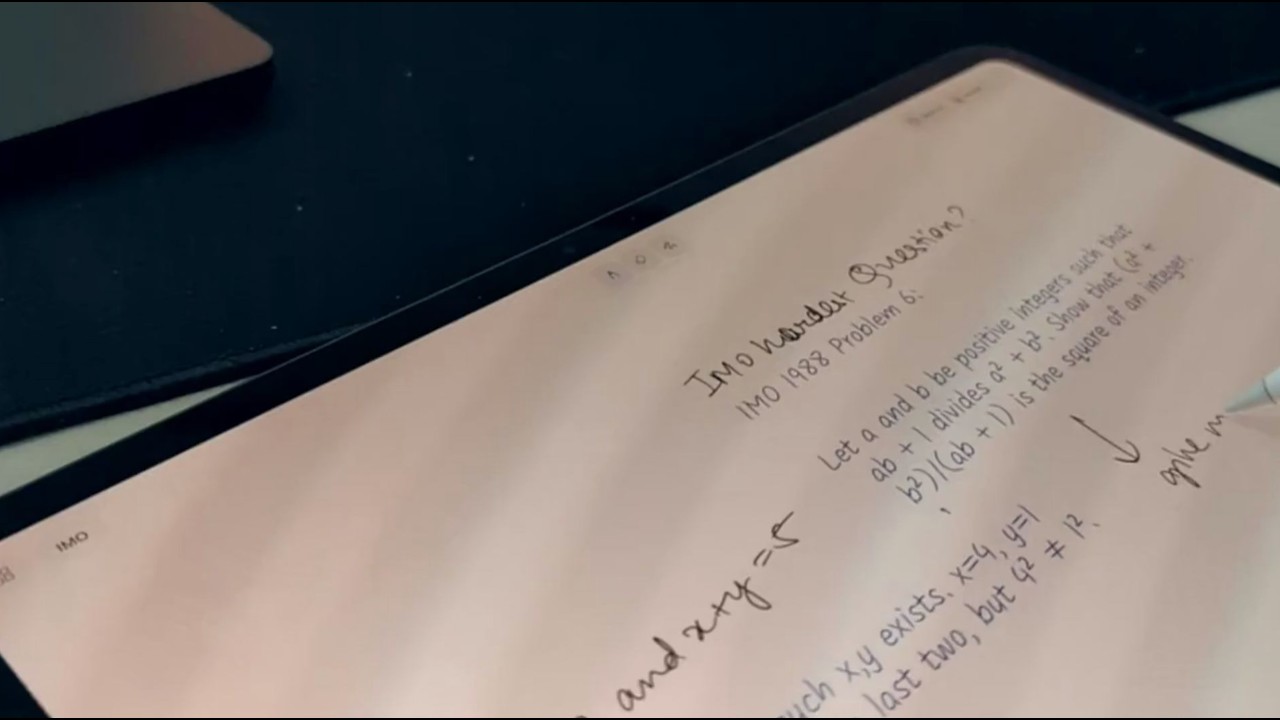
Maple is a notebook for iPad that thinks with you. I think best on paper, but getting help with my notes meant taking a screenshot, pasting it into a chatbot and copying the answer back. Maple writes the help right on the page, next to my notes. Say I'm working on a hackathon project. I write "how many free evenings before the deadline ?" and lift the pencil. Maple finds the deadline in my Gmail, checks my Calendar and writes a timeline for me beside it. Next to an idea I write "has anyone built this ?" and Maple searches the web. You and AI on the same page. Always. - Add a ? and Maple writes an answer in ink beside it. Write ?? and it thinks it through properly. - Draw an empty box under a few words and Maple fills it with a drawing, a graph, a diagram or a picture. - Circle, cut, doodle, scribble thoughts on top of Maple's work with the edit brush, and it does the job. - Pencil works as a mic too! Squeeze it and ask out loud. Say "sketch 3 login screens here" and Maple draws a box and fills it. Maple maintains a structured metadata of the whole canvas and your other pages. It can also read your Gmail, Calendar, Reminders, Contacts and Photos to answer. The more you interact with it, the better it gets to know you. As it learns more about you, its answers change to fit: a math student gets help learning the steps, while someone doing their finances just gets the answer. Maple's answers are in ink, so you can zoom, erase, edit and undo them like your own writing, and it never writes over yours. It's for people who work things out with a pencil, like builders ideating, students taking notes or designers solving a problem.