Harvest Outlook
Built at Meta Global AI Developer Hackathon · Oct 26, 2026 · Remote
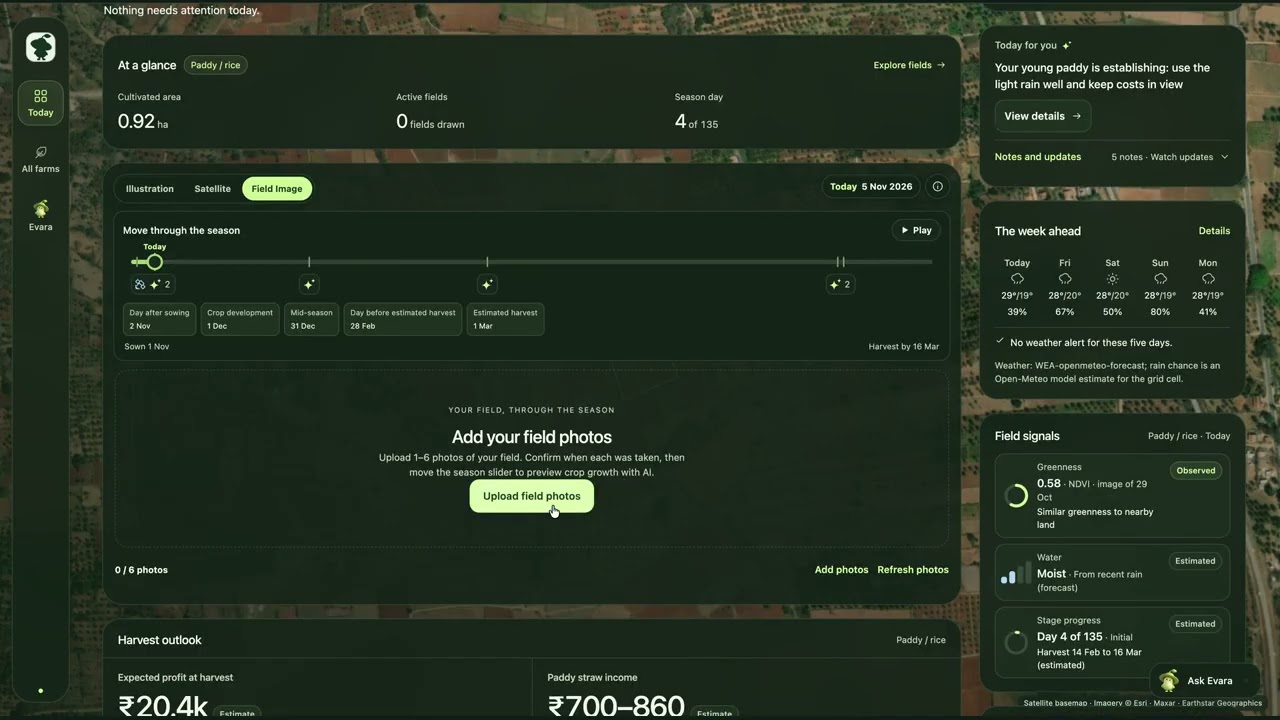
Harvest Outlook helps Indian farmers answer three connected questions: What should I grow next? What might it earn? And what needs attention on my farm today? These decisions depend on information that rarely lives together: soil reports, weather, crop history, mandi prices, field observations and expenses. Harvest Outlook brings them into one visual farm workspace, helping farmers compare their options and follow a season from planning to harvest. Farmers can map their land, review soil-test values, compare crop sequences and inspect the yield, historical price and cost assumptions behind estimated returns. Selected seasons become a calendar, while the Today view brings together crop stages, weather, satellite greenness, alerts and upcoming steps. A farm journal connects observations, photos, expenses and sales over time. Evara, our AI farm assistant, uses the farm's context and curated evidence to explain options and help farmers explore what comes next. Meta models interpret documents, images and voice, while application code calculates crop scores and financial ranges. Generated field previews are clearly labelled illustrations, and estimated returns are not guarantees. Try the demo: https://harvest-outlook.venkatselvan.com How to explore: 1. Click “Load a demo farm” to open a farm with labelled sample records. 2. Explore Today for the current crop and available field context. 3. Open Plan and select a suggested crop sequence. 4. Inspect its assumptions and sources, try “Swap crop,” or select “Use this plan” to review and save seasons. 5. Open Evara and ask: “What should I plant after the current crop, and why?” 6. Explore Actions for farm records, Market for available price history and Farm for soil context. No personal farm data is required to explore the sample farm.