Setout
Built at Meta Global AI Developer Hackathon · Oct 26, 2026 · Remote
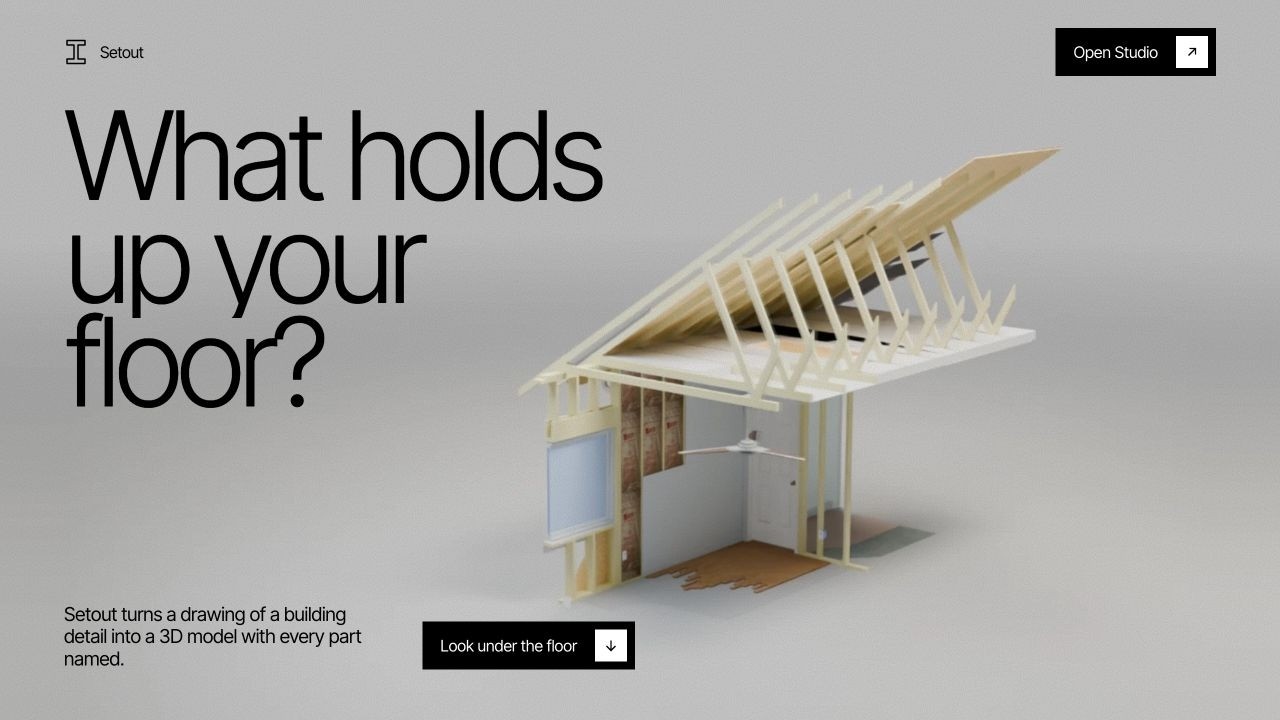
Setout turns a construction drawing into a 3D model you can explore. https://pthebe-sfsu--setout-site-web.us-east.modal.run/#/ You upload a section drawing or a photo of a detail, and Setout builds a 3D model of that local assembly with every part named. You can turn it, view it from the front, side and top, select any part to see its size and material, pull the layers apart, and replay the build step by step in the order it was assembled. Construction drawings leave a lot out. A section shows lines, and the boards, membranes, fixings and the order they go in are left to the reader. That gap is where mistakes happen on site, and it’s hard for manufacturers, architects and builders to explain a detail to anyone else. We test Setout on waterproofing details because they are among the hardest to read: thin layers, hidden laps, and parts a section can’t show. The tool works for any trade. The AI doesn’t generate a mesh. It writes Blender Python one small step at a time against a live scene, running in a no-network sandbox on Modal. After each step it sees the renders and any errors. When it thinks it’s done, an independent checker compares the model with the original drawing from five sides and can send it back for repair. The result opens in a three.js viewer in the browser. Every scene is marked “Not verified”, because drawings aren’t to scale and every size is the model’s assumption. Our long-term goal is a world model of construction: every detail of a house, simulated in build order before construction starts, so clashes and gaps are found on a screen instead of on site. Click on Take house Apart button on end [ https://pthebe-sfsu--setout-site-web.us-east.modal.run/#/ ]