OjO
Built at Meta Global AI Developer Hackathon · Oct 26, 2026 · Remote
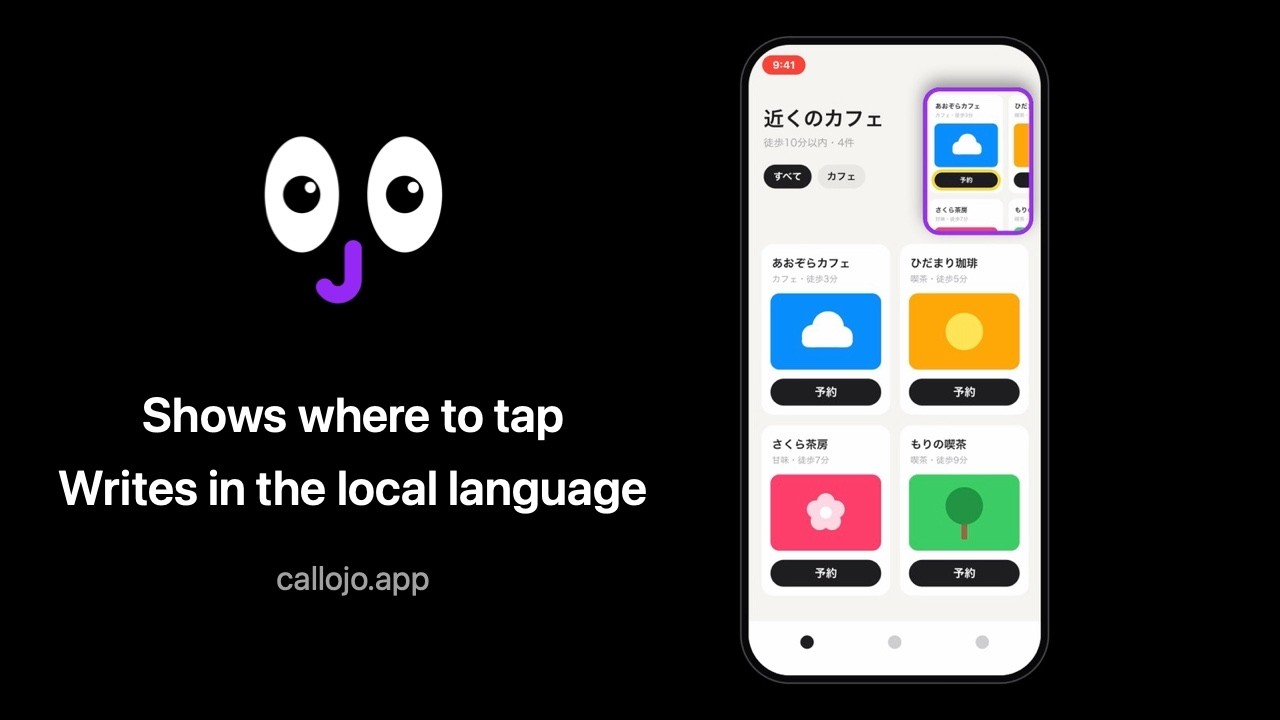
AI assistants that see your screen can tell you what to tap. OjO shows you where. OjO is an iPhone app: call it and share your screen. The call lives in a Picture in Picture window on top of other apps. In that window it shows a close-up of where to tap, with the spot outlined, while it talks you through it. Need to type something? Just say what you need. OjO writes it in the app's language, or another language you ask for, and drops it on your clipboard while you stay in the app. No copying, no switching: you just tap Paste. It helps wherever an app is hard to follow: - an app in a language you can't read, like Chinese, Japanese or Korean; - working through long forms without jumping between apps; - a new game, with OjO beside you, figuring it out as you play; - parents and grandparents, step by step through an app they use for the first time. At any moment, say "Don't look" to turn on private mode: OjO closes its eyes and stops looking at your screen until you say "Look". Great for bank details or other sensitive information. OjO runs on four Meta models: Muse Voice Transcribe hears you, Muse Wonder is the brain that reads your screen and answers you, and SAM 3.1 finds the place to tap when screen text isn't enough. In Turbo mode, the faster Muse Spark takes over as the brain. As a traveler, I know this problem firsthand: crowded, unfamiliar apps, often without an English option, where even a simple task is hard to figure out. I built OjO to make getting through them much easier. Try it: the public iOS beta is open on TestFlight: https://testflight.apple.com/join/XZJ61rBH. If it's full, write to hi@callojo.app and I'll add you as soon as possible.