Tactile Browser
Built at Gemini 4 Argon SF Hackathon · Oct 25, 2026 · San Francisco, CA
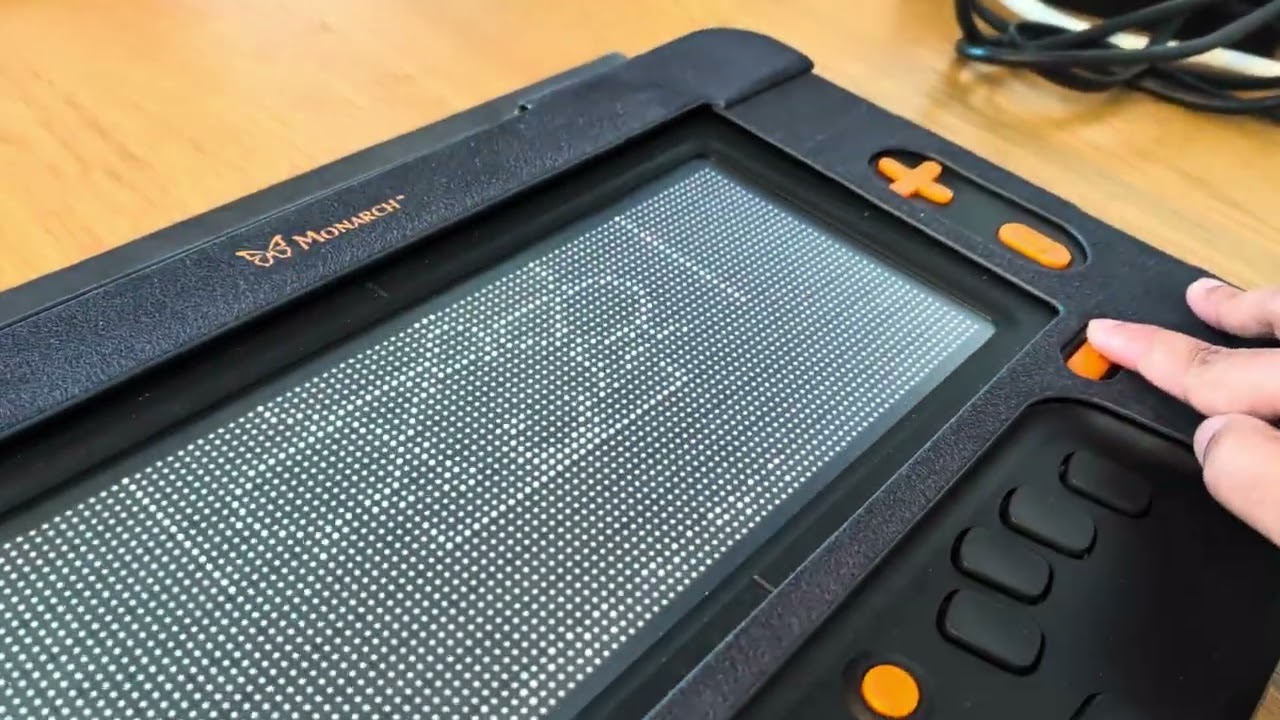
--- **Monarch Tactile Browser** is a universal web, book, and tactile image browser built for the **HumanWare Monarch**—a refreshable 10-line Braille and **96×40 multi-line tactile graphic pin array** device running Android 13. ### The Problem It Solves While standard screen readers allow blind users to read web text line-by-line, the visual web—scientific diagrams, textbook illustrations, scanned archival books (`archive.org`, Google Books), multi-panel webcomics (`xkcd`), and interactive charts—remains virtually inaccessible. Worse, naive attempts to convert web images into tactile graphics by thresholding or pixel-dithering onto a 96×40 pin grid produce dense, unreadable "walls of raised pins" where text labels collide with shapes and fine spatial structure is lost. ### Our Solution Monarch Tactile Browser gives blind users what a modern browser gives sighted users: **seamless multi-line Braille reading of web pages combined with interactive, hierarchical tactile exploration of any visual graphic on the web—with zero hardcoded site rules (`No Code Names a Site`).** 1. **Universal Text-View & Scanned-Page DOM Bridge (`bridge/`)**: - Operates strictly on standard web signals (`<img>`, `<svg>`, `<canvas>`, `<figure>`, `[role="img"]`). - Promotes meaningful images and diagrams into keyboard- and screen-reader-focusable buttons (`Explore tactile image: <label>`) reachable via KeySoft's native **`B`** quick-navigation key, while filtering out tiny decorative icons and merging decorative drop-caps into prose. - Intercepts live `CanvasRenderingContext2D` drawing operations and inline `<svg>` vector DOM trees so exact geometry is captured before falling back to pixels. - Extracts embedded dialogue and printed text on scanned book pages and webcomics so users can read the text natively in multi-line Braille and explore cropped illustrations on the tactile pin array. 2. **Two-Tier Tactile Compiler (`tactile-core/` & `tier2/`)**: - **Tier 1 (Instant, Offline / Exam-Mode Ready, < 35 ms)**: Directly compiles `<svg>` and `<canvas>` vector primitives (`path`, `rect`, `circle`, `ellipse`, `line`, `polygon`, transforms) into crisp 1-pin outlines on the 96×35 tactile canvas (`SvgCompiler`), with a morphological Zhang-Suen centerline skeletonization fallback (`RasterContourCompiler`) that keeps raised-pin fill density strictly **≤ 25%** across all zoom levels (`1x..8x`). - **Tier 2 (`gemini-4-argon` Semantic & Structural Decomposer)**: Sends a 768 px copy of any raster photograph, diagram, scanned book figure, or comic strip to **Gemini 4 Argon** via the Interactions API and receives a hierarchical **Structured Tactile Graphic**—a tree of semantic components (`panel`, `figure`, `object`, `text`, `arrow`) with bounding boxes, normalized 1-pin centerline polyline strokes, spoken descriptions, and reading-order `embeddedText`. - **Clutter-Free Tactile Rendering (`StrokeRenderer`)**: Renders shapes as 1-pin centerlines with zero interior texture fill (putting color semantics into labels), suppresses inline lettering pins at `1x` overview so text remains a clean touch-to-read region without crowding adjacent strokes, guarantees a blank pin column between comic/diagram panels, and automatically prunes lowest-priority strokes first to maintain **≤ 25% pin fill** at every zoom level. Results are cached by image SHA-256 so no image is decomposed twice. 3. **Generalized `Data Navigator` Spatial & Hierarchical Graph + Hardware Viewer (`android-app/`)**: - Adapts Frank Elavsky's open-source `Data Navigator` paradigm from charts to arbitrary visual scenes (`ComponentGraph` + `HitGrid` with O(1) `IntArray(3840)` 1-pin halo hit-testing at 40 Hz). - **Touch-to-Read (40 Hz First-Finger Tracking)**: Touching any part of the 96×35 tactile canvas speaks the component's label and renders it in user-profile Braille on the bottom 4-row **Braille Caption Bar** (rows 36–39, separated by blank row 35) without mutating the physical pins under the user's fingers. - **Hierarchical Drill-Down (`Enter` / Action Double-Tap) & Hardware Controls**: Pressing `Enter` (Dot 8), `Space`, or double-pressing the Monarch Action button with a finger on a component (e.g., *Panel 3* of a comic or the *Left Ventricle* of a heart diagram) isolates and auto-fits that single component across the full 96×35 array and exposes its child sub-components. Full hardware integration via `res/raw/commands.xml` binds the Monarch's physical Zoom ovals (`+`/`-`), Left D-Pad (previous/next component), Right D-Pad (viewport pan/zoom), and Pan keys. ---