ExplainBack
Built at Meta Global AI Developer Hackathon · Oct 26, 2026 · Remote
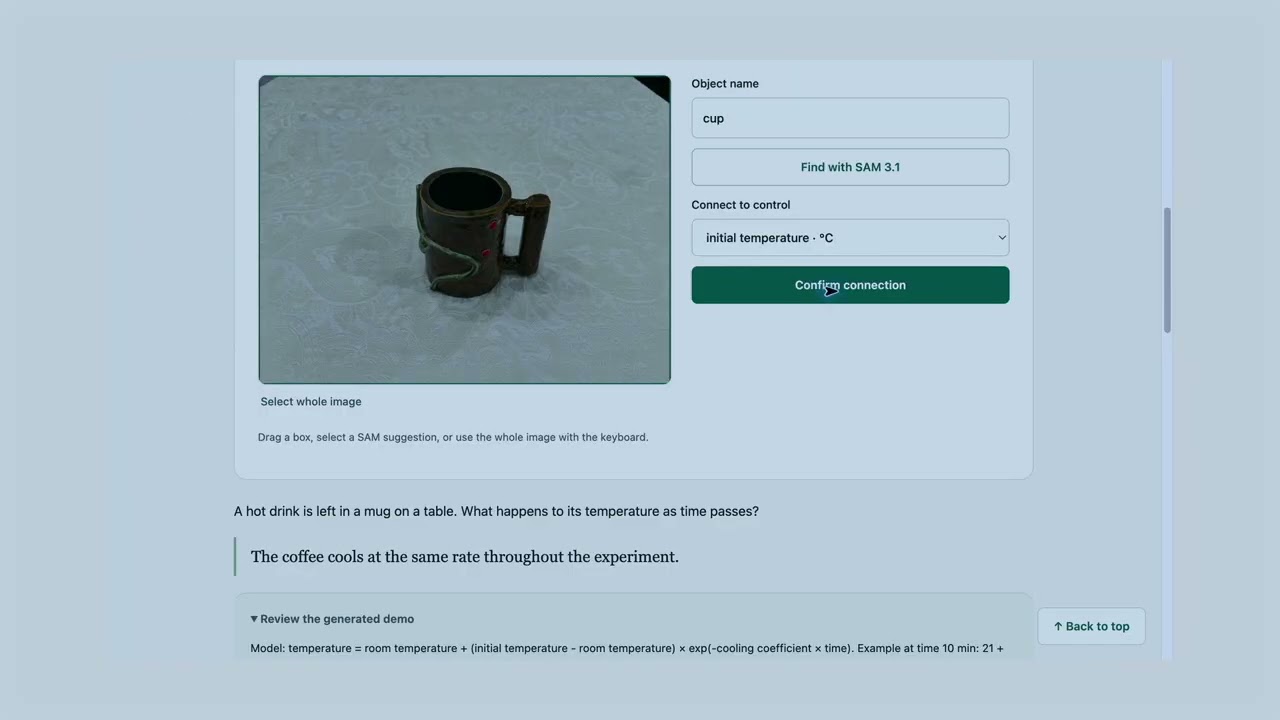
ExplainBack / 讲给我听 helps learners move from repeating an answer to explaining it. It turns a question, sketch or photo into an interactive lesson in English and Chinese, with a simple loop: Predict. Test. Explain. JUDGE QUICK START 1. Open https://explainback.app/. Select Judge mode (inside Menu on phones), complete the quick image or text check, then select Start Judge mode. No account or invite code is needed. 2. On Create, use the optional 6-step tour, or enter a question such as "Why does coffee cool more slowly near room temperature?" Create a lesson, review its assumptions and definition, then switch to Tryout to predict, run the experiment and explain the result. The tour also covers narration, illustration, saving and sharing. 3. Each session lasts up to 30 minutes with up to 50 AI calls, subject to shared daily capacity. The banner shows time and calls remaining; one action may use several calls. Export lesson JSON before expiry or starting another session to keep your work. Use synthetic examples; administrators can inspect session usage and saved lessons. Judge mode is temporary and may be paused or disabled. Gallery/shared lessons and included narrated shows remain available without sign-in. If live creation is unavailable, use the demo video or the repository's local setup instructions. Judge mode guide: https://github.com/dorangao/explainbackapp/blob/main/docs/judge-mode.md Feedback or access inquiries: contact@sketchplaywrite.com. The demo starts with a photo of a coffee mug and a question: why does coffee cool more slowly as it nears room temperature? The creator gathers web references, drafts a lesson with Muse Wonder, and confirms how an image region connects to a lesson control. The learner draws a predicted curve, changes the experiment's controls, explains the result in their own words, and tries a fresh case. Application code evaluates bounded formulas and checks numeric transfer answers; Muse Spark provides feedback on the explanation. Creators can run a model as a first-time learner, use its feedback to revise the lesson, and inspect the changed fields. A persistent Create/Tryout workspace keeps the draft and learner attempt together. Lessons can become bilingual narrated shows with Muse Image illustrations, be saved, and be shared by link. Optional web-backed figure checks and side-by-side Wonder/Spark comparison make model outputs easier to inspect. Numeric lessons include a local calculator and worked-example help, with assisted attempts clearly labeled "Completed with help". Generated lessons, formulas and model feedback require human review; this prototype does not establish teaching effectiveness. The repository's Pre-existing work section discloses the earlier prototype, uncertain timestamps and rewrite. Eligibility is for the organizers to determine.